
Capture
Voice note, text, email thread, job note, or reminder.
Implementation option
Owner Assistant is a managed Grove workflow for service business owners who need help keeping up with drafts, reminders, follow-up, approvals, projects, and the daily details that usually live in their head.
AI helps prepare the work. Grove designs the workflow and keeps the boundaries clear so owner judgment stays where it belongs.
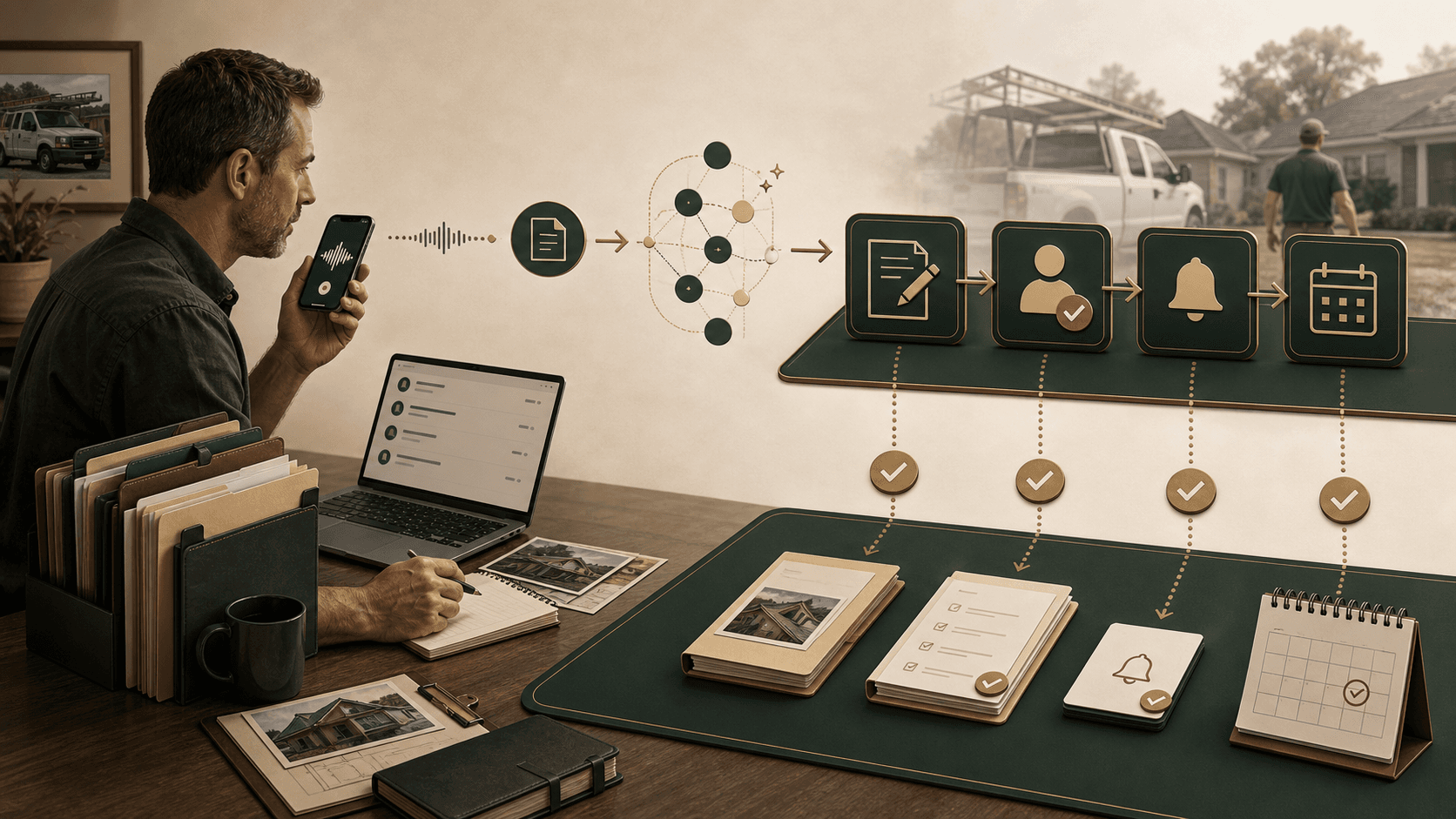 Owner workflow support, set up around your work.
Telegram, voice notes, email, calendar, and selected tools.
Drafts, remembers, prompts, organizes, and supports selected workflows.
Draft-first and approval-first for anything sensitive.
The point is not to add a chatbot. The point is to make the owner's scattered notes, emails, and reminders easier to turn into useful movement.
Voice note, text, email thread, job note, or reminder.
The assistant prepares the next useful output.
Anything sensitive or customer-facing stays owner-controlled.
Reminder, follow-up, checklist, saved memory, or weekly queue.
This is AI used in a practical way: tied to your business, set up around how you already work, and focused on the details that keep slipping back into your head.
Draft replies, summarize long threads, and surface messages that need owner attention.
Keep track of customer promises, open estimates, and the next thing that needs to happen.
Turn loose job notes into checklists, next actions, estimate support, and project records.
Plan trips, collect details, draft itineraries, and keep calendar blocks or reminders in view.
Keep a running record of customer context, project status, decisions, and loose ends.
Prompt you before important events, follow ups, renewals, deadlines, or weekly reviews.
The assistant should live where you can actually use it. For many owners, that means Telegram, quick texts, voice notes, forwarded emails, and short prompts between calls.
Send a quick Telegram message when something needs to be captured.
Talk from the truck after a call, meeting, job walk, or customer conversation.
Ask for a summary, suggested reply, next step, or reminder tied to the thread.
Request a draft, checklist, job plan, trip plan, weekly briefing, or follow-up list.
You stay in control. The assistant drafts, remembers, organizes, and prompts. You decide what gets sent, approved, or acted on.
"Remind me to follow up with Jim on the service estimate. He asked about scheduling next week, and I need to mention the maintenance option."
The setup should start with workflows that are easy to understand and useful right away.
You send a Telegram voice note after a customer call. The assistant creates a follow-up draft, a Friday reminder, and the context to remember next time.
You forward a long customer email. The assistant summarizes the issue, suggests a reply, and flags what needs owner approval.
You ask what is still open. The assistant pulls together the estimate, last conversation, next action, and reminder.
You ask for a plan. The assistant turns dates, people, notes, and loose details into a checklist and calendar blocks.
Bring the email thread, estimate follow-up, project notes, or reminder problem that keeps coming back to you.
The assistant should be useful without creating risk or confusion. Grove starts with clear boundaries and expands access only when the workflow calls for it.
Draft-first unless you approve otherwise.
Sensitive messages, financial items, customer decisions, and employee matters stay under owner approval.
Start with low-risk workflows like notes, drafts, reminders, summaries, and context.
Access is intentional, not blanket. Grove connects only what the workflow needs.
The Assistant page exists for owners who are curious about AI but do not want a tool that spams customers, exposes private data, or creates another system to manage.
No. Grove starts with the tools and habits already in the business, then connects only what the workflow actually needs.
No customer-facing messages go out without clear approval. The first setup is draft-first by default.
Access is scoped to the workflow. A reminder workflow may need very little. Email, calendar, or CRM access only gets added when the owner approves it.
That is why sensitive work stays owner-controlled. The assistant prepares work for review; owner judgment decides what gets sent or acted on.
It should not. Grove designs the workflow around places the owner already uses, such as Telegram, email, voice notes, and weekly review.
Start with a conversation. Talk through what you want your assistant to help you keep up with, what tools it should touch, and where it should stay draft-first.